Alosa - Google Slide Template: A Versatile Tool for Every Presentation Need
Whether you're launching a new product, pitching an idea to investors, or sharing insights with your team, the right presentation can make all the difference. That's where Alosa - Google Slide Template comes in. This clean, scalable, and colorful template is designed to meet a wide range of needs, from business presentations to personal projects. With its user-friendly design and customizable features, it's no wonder so many professionals and creatives are turning to Alosa for their next big presentation.
What Is Alosa - Google Slide Template?
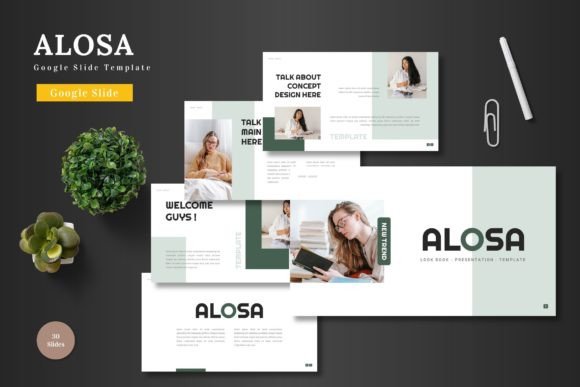
Alosa - Google Slide Template is a ready-to-use presentation tool that offers a sleek and professional look without the need for complex design software. It’s built directly within Google Slides, making it accessible to anyone who uses this platform. The template includes 150 slides across five color schemes, each with 30 slides dedicated to different sections. Whether you’re creating a pitch deck, a marketing campaign, or an educational module, Alosa provides a solid foundation to build upon.
One of the standout features of Alosa is its flexibility. All elements—text, images, colors, and graphics—are fully editable within Google Slides. You don’t need to switch to another program or worry about compatibility issues. Just open the template, input your content, replace placeholder images, and adjust colors to match your brand or personal style.
When and Why to Use Alosa - Google Slide Template
There are countless scenarios where Alosa - Google Slide Template can be incredibly useful. For entrepreneurs, it’s a great way to create a compelling pitch deck that grabs attention and communicates value clearly. Imagine preparing for a funding round or a meeting with potential partners. With Alosa, you can craft a visually appealing presentation that highlights your business model, market opportunity, and growth strategy—all in a format that’s easy to update and share.
For marketers, Alosa offers a powerful tool for creating engaging campaigns. Whether you're presenting a new product launch, a social media strategy, or a customer success story, the template allows you to incorporate dynamic visuals, infographics, and data-driven slides. The included animated slides add a layer of interactivity, helping to keep your audience engaged throughout the presentation.
Students and educators also benefit from Alosa. Teachers can use it to create interactive lesson plans, while students can build presentations for class projects or research papers. The clean layout and organized structure make it easy to convey complex ideas in a clear and professional manner.
Real-World Use Cases for Alosa - Google Slide Template
Let’s look at a few practical examples of how Alosa - Google Slide Template can be used in different settings. Suppose you’re a small business owner looking to promote your new e-commerce store. You can use Alosa to create a product showcase that highlights your offerings, includes customer testimonials, and outlines your unique selling points. The slide templates allow for easy integration of images and text, making it simple to present your products in an attractive way.
Another scenario involves a freelance designer or blogger who wants to share their portfolio. With Alosa, they can create a visually striking gallery slide that displays their work in a clean and professional format. The drag-and-drop feature for images makes it easy to update the portfolio as new projects come in, ensuring the presentation stays current and relevant.
Even for personal use, Alosa has its place. Think about planning a vacation, organizing a family event, or sharing a personal story. The template’s versatility allows users to customize it to fit their specific needs, whether it’s a travel itinerary, a wedding invitation, or a creative project showcase.
What to Consider Before Using Alosa - Google Slide Template
While Alosa offers a lot of value, it’s important to consider a few factors before diving in. First, think about your specific needs. Are you looking for a basic template, or do you require more advanced features like custom animations or interactive elements? Alosa covers a broad range of use cases, but understanding your goals will help you make the most of the template.
Also, take time to explore the different color schemes and layouts. Each option offers a unique aesthetic, so choosing the one that aligns with your brand or personal style is key. If you're unsure, start with a default theme and adjust as needed. The ability to change colors and fonts within Google Slides makes it easy to experiment and find the perfect look.
Finally, consider the level of technical skill required. While Alosa is designed to be user-friendly, some customization may require a basic understanding of Google Slides. However, the intuitive interface and clear instructions make it accessible even for those who aren’t tech experts.
Why Alosa - Google Slide Template Stands Out
What sets Alosa apart from other Google Slide templates is its balance of simplicity and sophistication. It’s not just about having a lot of slides—it’s about having the right tools to tell your story effectively. The inclusion of handcrafted infographics, pixel-perfect illustrations, and resizable graphics ensures that your presentation looks polished and professional.
Additionally, the template’s focus on usability means you can spend less time on design and more time on content. Whether you're preparing for a business meeting, a classroom presentation, or a personal project, Alosa helps you deliver your message with clarity and impact.
If you're looking for a reliable and flexible solution for your next presentation, Alosa - Google Slide Template is worth considering. Its combination of style, functionality, and ease of use makes it a valuable resource for anyone who needs to communicate ideas effectively through slides.